
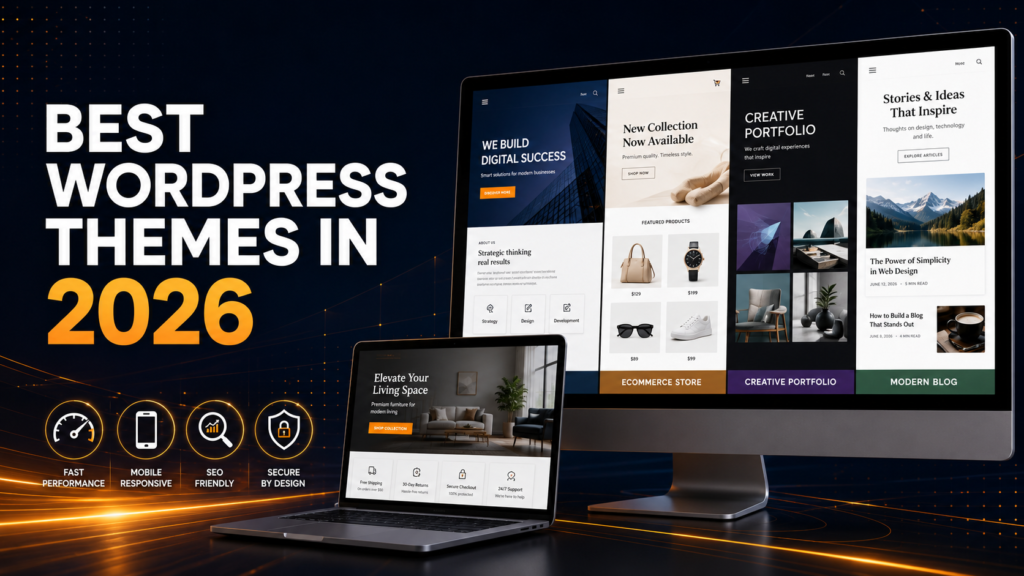
Best WordPress Themes in 2026: 15 Powerful Choices for an Excellent Website
Building a professional website can feel difficult when thousands of themes all promise speed, flexibility and easy customization. The Best WordPress Themes in 2026 make that decision simpler by providing a reliable foundation for your design, content, SEO and customer experience. In this guide, you will learn what makes a good theme, compare 15 practical options and discover how to choose one for a small business, portfolio, blog or online store.
What Are the Best WordPress Themes in 2026?
A WordPress theme controls the visual structure of your website, including its header, footer, typography, colors, blog layout and page templates. It provides the design foundation, while plugins normally add functions such as contact forms, SEO tools, bookings or ecommerce features.
The Best WordPress Themes in 2026 are responsive, regularly maintained and compatible with modern WordPress. They also let beginners adjust important design settings without editing code. Some use the traditional Customizer, while block themes allow site-wide editing through the WordPress Site Editor.
A theme cannot make every website fast automatically. Hosting, plugins, images, fonts and page design also affect performance. The right theme simply gives you a cleaner and more manageable starting point.
Why the Best WordPress Themes in 2026 Are Important
Visitors often form an opinion about a business within seconds. A confusing menu, slow page or broken mobile layout can send a potential customer away before they understand your offer.
For a local business or small company, the theme influences how easily people can find services, view proof of your work and contact you. It can also affect how comfortably search engines and accessibility tools understand the page structure.
The Best WordPress Themes in 2026 support clear navigation, readable content and strong calls to action. They also work with trusted tools such as WooCommerce, Elementor, Gutenberg and Rank Math. You can learn more about building a search-friendly site in the Google SEO Starter Guide.
Main Benefits of Choosing the Right Theme
- Faster setup: Starter layouts can reduce the time needed to build essential pages.
- Professional appearance: Consistent fonts, colors and spacing make a small business look more trustworthy.
- Better mobile usability: Responsive layouts adapt menus, columns and buttons to smaller screens.
- Simpler customization: Visual controls help beginners change branding without touching theme files.
- Improved compatibility: A maintained theme is more likely to work with current WordPress and popular plugins.
- Cleaner performance foundation: Lightweight code gives caching and image optimization a better chance to work effectively.
These benefits are why selecting from the Best WordPress Themes in 2026 should be treated as a business decision, not only a design decision.
How a WordPress Theme Works
- You install and activate the theme. WordPress applies its templates and styles to your website.
- You configure global settings. Add your logo, brand colors, fonts, menus and page width.
- You create essential pages. Most small businesses need Home, About, Services, Contact and Privacy Policy pages.
- You add necessary plugins. Install only tools needed for SEO, forms, security, caching or ecommerce.
- You add real content. Replace demo text and images with accurate information about your business.
- You test before launch. Check mobile usability, forms, links, checkout and loading performance.
Use Google PageSpeed Insights to identify performance opportunities. Do not judge a theme using a single score alone; test the completed website on multiple pages and devices.
15 Best WordPress Themes in 2026 for Different Websites
This list of the Best WordPress Themes in 2026 covers business, portfolio, blogging and ecommerce needs. Each recommendation has a different strength, so focus on the option that matches your purpose and preferred editing method.
1. RankFlow Premium — Best for Professional Business Websites
RankFlow Premium is intended for agencies, consultants, startups and service businesses that want a modern layout with practical business sections. It is a useful choice when you need editable branding, service areas, portfolios, testimonials and calls to action in one design system.
Best for: Small businesses, agencies and service providers.
2. Astra — Best Multipurpose Choice
Astra is flexible and works with Gutenberg, Elementor and other popular builders. It offers a free version, starter templates and paid upgrades for users who need more design or WooCommerce controls.
Best for: Beginners, companies, blogs and stores.
3. GeneratePress — Best for a Lightweight Foundation
GeneratePress uses a clean, minimal approach. It is well suited to content websites and owners who prefer a simple foundation instead of many built-in effects.
Best for: Blogs, publishers and performance-focused websites.
4. Kadence — Best for Flexible Business Design
Kadence includes useful header, footer, color and typography controls. Its starter templates can help beginners create service pages, landing pages and online stores more quickly.
Best for: Business websites, courses and small stores.
5. Blocksy — Best for Modern Customization
Blocksy provides a modern customization experience and works well with the block editor and Elementor. Its flexible layout controls suit content sites and stylish ecommerce projects.
Best for: Modern blogs, companies and WooCommerce stores.
6. Neve — Best Mobile-Focused Choice
Neve offers a responsive foundation, starter websites and support for popular page builders. It is practical for a small business that wants to launch without a complicated setup.
Best for: Startups, local businesses and blogs.
7. OceanWP — Best Flexible Free Option
OceanWP provides broad layout and customization controls and supports WooCommerce. It is helpful for users who want a free starting point with optional extensions.
Best for: Business sites, blogs and small shops.
8. Hello Elementor — Best for Elementor Users
Hello Elementor is deliberately minimal and lets Elementor handle most of the visual design. It works best when you are committed to an Elementor-based workflow.
Best for: Custom Elementor websites.
9. Storefront — Best Basic WooCommerce Foundation
Storefront provides a straightforward WooCommerce starting point. Its design keeps attention on products, although it may need customization to achieve a distinctive brand appearance.
Best for: Simple WooCommerce shops and testing.
10. Flatsome — Best for Visual WooCommerce Stores
Flatsome is built around ecommerce and includes store templates, product layouts, banners and its own visual builder. It suits users who want many shop-focused controls inside one theme.
Best for: Fashion, retail and product stores.
11. Divi — Best for Visual Design Freedom
Divi combines a premium theme with a visual builder and a large layout library. It offers detailed styling controls for agencies and users who enjoy designing visually.
Best for: Designers and multipurpose business websites.
12. Avada — Best All-in-One Design System
Avada includes its own builder, templates and extensive design options. It can support many website types, but beginners should expect a learning period because of its large settings area.
Best for: Users who want an integrated premium toolkit.
13. Porto — Best for Large Online Stores
Porto offers ecommerce templates, product layouts and category displays for stores with broad catalogs. It also supports Elementor for users who prefer visual editing.
Best for: Multi-category and established WooCommerce stores.
14. Twenty Twenty-Five — Best Native Block Theme
Twenty Twenty-Five is an official WordPress block theme with templates and patterns for blogs, portfolios and business pages. It lets users edit headers, footers and global styles in the Site Editor.
Best for: WordPress users who prefer native block editing.
15. RankFlow Portfolio — Best for Creative Professionals
RankFlow Portfolio focuses on presenting projects, services and personal branding. It is suitable for freelancers who need a clear way to show previous work and encourage enquiries.
Best for: Designers, developers, photographers and creative agencies.
There is no universal winner among the Best WordPress Themes in 2026. The best choice is the one that supports your website goal without adding tools you will never use.
Common Theme Mistakes to Avoid
- Choosing only by appearance: Check support, mobile behavior, updates and plugin compatibility too.
- Buying an unauthorized copy: Untrusted downloads can be outdated, modified or unsupported.
- Importing every demo page: Keep only layouts and content you actually need.
- Installing too many plugins: Add functionality according to a clear business requirement.
- Ignoring mobile visitors: Test navigation, forms, buttons and checkout on a real phone.
- Editing the parent theme: Use a child theme or supported customization method for code changes.
- Changing a live website without testing: Use staging and create a complete backup first.
Even the Best WordPress Themes in 2026 can perform poorly when overloaded with oversized images, unnecessary scripts and conflicting plugins.
Beginner Theme Checklist
- ☐ Define whether you need a business site, portfolio, blog or store.
- ☐ Check that the theme is responsive and recently maintained.
- ☐ Confirm compatibility with your preferred editor and plugins.
- ☐ Test a complete demo on desktop and mobile.
- ☐ Review free features, premium features and renewal costs.
- ☐ Read the license before using the theme on multiple websites.
- ☐ Plan essential pages, navigation and calls to action.
- ☐ Optimize images before uploading them.
- ☐ Create a backup and test major changes on staging.
- ☐ Check forms, links, search visibility and speed before launch.
How to Choose the Right Theme or Website Provider
Start with your business goal, not the theme demo. When comparing the Best WordPress Themes in 2026, remember that a local service company may need fast service pages and a visible call button. A store needs reliable product navigation and a simple checkout.
When evaluating a provider, ask for recent examples, clear pricing and a written list of deliverables. Find out who will own the website, domain and licenses. Also confirm how backups, updates, security and support will be handled after launch.
A trustworthy provider will not guarantee an instant first-place Google ranking. For practical advice, see Google’s guide to choosing an SEO professional.
Compare the Best WordPress Themes in 2026 by real requirements, including editing difficulty, recurring costs and long-term maintenance. The cheapest initial option is not always the simplest option to operate.
Why Choose RankFlow Digital?
RankFlow Digital helps businesses choose among the Best WordPress Themes in 2026 and create a connected online presence instead of treating design and marketing as separate projects. The available digital marketing services include SEO, WordPress website design, Google Ads, local SEO, lead generation and WooCommerce website development.
If your existing site is difficult to use or your new project needs a clear direction, the team can help you choose an appropriate theme, organize essential pages and build a practical path from visitor to enquiry or purchase. You can also review the approach to professional SEO services for business growth.
Results depend on your market, competition, offer and ongoing marketing. The aim is to build a reliable website and a realistic growth strategy—not promise instant rankings.
Final Thoughts
The Best WordPress Themes in 2026 provide a professional design foundation, useful customization and reliable compatibility. They cannot replace good hosting, helpful content or ongoing maintenance, but they can make every part of the project easier.
Choose according to your website’s purpose. Keep your design simple, install only necessary plugins and test the completed site on real devices. If you need guidance selecting a theme or building a search-friendly business website, contact RankFlow Digital to discuss your project.
Frequently Asked Questions
1. What are the Best WordPress Themes in 2026?
Strong options include RankFlow Premium, Astra, GeneratePress, Kadence, Blocksy, Neve, Flatsome and Porto. Your best choice depends on whether you need a business website, blog, portfolio or online store.
2. Which WordPress theme is easiest for beginners?
Astra, Kadence and Neve are beginner-friendly because they offer visual controls and starter templates. Hello Elementor may also feel simple if you already understand Elementor.
3. Which WordPress theme is the fastest?
No theme is fastest under every setup. GeneratePress and other lightweight options can provide a strong foundation, but hosting, images, fonts, plugins and caching affect the final result.
4. Are premium WordPress themes worth buying?
A premium theme may be worthwhile when its templates, support and advanced controls save time. A maintained free theme can still work well for a simple website.
5. What is the best theme for WooCommerce?
Flatsome and Porto provide extensive store features, while Storefront offers a simpler foundation. Astra, Kadence and Blocksy are flexible alternatives with WooCommerce integration.
6. Can changing my theme affect SEO?
Yes. A theme change can affect headings, structured data, internal links, page speed and content presentation. Test the new theme on staging and check important pages before publishing it.
7. Should I use Elementor or the WordPress Site Editor?
Use Elementor if you prefer its visual workflow and widgets. Choose a block theme if you want to build with native WordPress blocks and reduce dependence on a separate page builder.
8. Can I use one premium theme on multiple websites?
Only when its license allows it. Some products cover one website, while agency or unlimited plans may cover several. Review the license and update terms before buying.